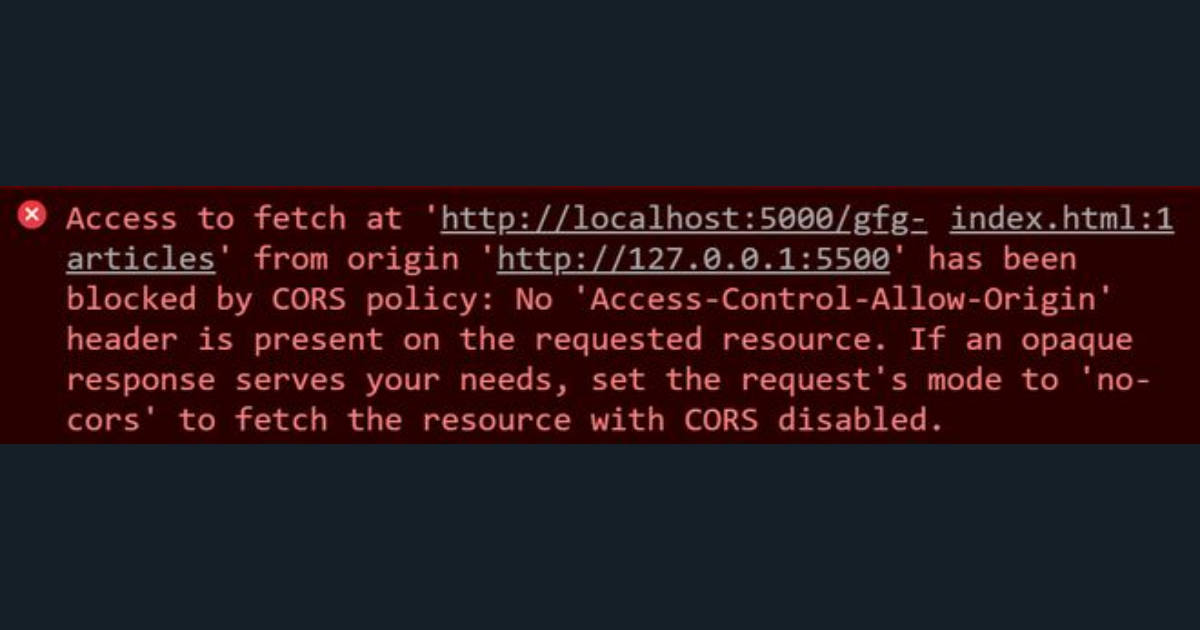
You're building a frontend app. You write a fetch() call to your API. You open the browser console and see this:
Access to fetch at 'https://api.example.com/users' from origin 'http://localhost:3000'
has been blocked by CORS policy: No 'Access-Control-Allow-Origin' header is present.
Welcome to one of the most common — and most misunderstood — errors in web development. The good news: once you understand what CORS actually is, fixing it becomes straightforward.
What Is CORS?
CORS stands for Cross-Origin Resource Sharing. It's a security mechanism built into every web browser that controls which websites are allowed to make HTTP requests to a different origin (domain, port, or protocol) than the one the page was loaded from.
An origin is the combination of protocol + domain + port. These are three different origins:
http://localhost:3000https://localhost:3000https://myapp.com
When your JavaScript running on http://localhost:3000 tries to fetch data from https://api.example.com, that's a cross-origin request — and the browser will block it unless the server explicitly says it's allowed.
Why Does the Browser Block It?
This is a browser-level security feature, not a server feature. The server receives the request just fine — but the browser withholds the response from your JavaScript code if the server hasn't included the right headers.
The reason this exists: imagine you're logged into your bank. A malicious website could use JavaScript to silently call your bank's API using your session cookies. CORS prevents this by requiring the API server to whitelist which origins are allowed.
How CORS Works
For simple requests (GET, POST with certain content types), the browser sends the request and checks the response headers. For more complex requests (PUT, DELETE, custom headers), the browser first sends an OPTIONS preflight request to ask "are you okay with this?"
The server must respond with:
Access-Control-Allow-Origin: https://myapp.com
Access-Control-Allow-Methods: GET, POST, PUT, DELETE
Access-Control-Allow-Headers: Content-Type, Authorization
If those headers are missing or wrong, the browser blocks the response.
How to Fix CORS Errors
Fix 1: Set the header on your backend
The correct fix is always on the server side. Add the appropriate headers to your API responses. Here's how in common stacks:
Laravel (PHP):
// In a middleware or response
return response()->json($data)
    ->header('Access-Control-Allow-Origin', '*')
    ->header('Access-Control-Allow-Methods', 'GET, POST, PUT, DELETE, OPTIONS')
    ->header('Access-Control-Allow-Headers', 'Content-Type, Authorization');
Express (Node.js):
const cors = require('cors');
app.use(cors({ origin: 'https://myapp.com' }));
Django (Python):
# pip install django-cors-headers
INSTALLED_APPS = ['corsheaders', ...]
MIDDLEWARE = ['corsheaders.middleware.CorsMiddleware', ...]
CORS_ALLOWED_ORIGINS = ['https://myapp.com']
Fix 2: Use a wildcard (development only)
Setting Access-Control-Allow-Origin: * allows any origin. This is fine during local development but should never be used in production for authenticated APIs, as it defeats the security purpose of CORS.
Fix 3: Proxy the request through your own server
If you're calling a third-party API that you don't control, you can create a simple server-side proxy. Your frontend calls your own backend, which calls the third-party API and returns the result. Since server-to-server calls have no CORS restrictions, this always works.
Testing CORS Without a Real Backend
If you're testing how your frontend handles CORS, a mock API tool like MockServer sends Access-Control-Allow-Origin: * on every response by default. This means your frontend can call mock endpoints from any localhost port or staging domain without any CORS configuration — which is exactly what you want during development.
Common CORS Mistakes
- Using a browser extension to bypass CORS: This masks the problem and will break in production. Always fix it properly.
- Setting CORS headers on the frontend: You can't. CORS headers must come from the server. Setting them in your
fetch()headers does nothing. - Forgetting to handle OPTIONS preflight: Your server must respond to OPTIONS requests with 200 and the correct headers, or preflight will fail.
- Mixing HTTP and HTTPS origins: These are different origins.
http://localhostandhttps://localhostare not the same.
Quick Reference: CORS Headers
| Header | What It Controls |
|---|---|
Access-Control-Allow-Origin | Which origins can access the resource |
Access-Control-Allow-Methods | Which HTTP methods are allowed |
Access-Control-Allow-Headers | Which request headers are allowed |
Access-Control-Allow-Credentials | Whether cookies/auth headers can be sent |
Access-Control-Max-Age | How long the preflight result can be cached |
Summary
CORS errors are not bugs — they're the browser doing its job. The fix is always on the server: add the Access-Control-Allow-Origin header (and related headers) to your API responses. Use * only in development. In production, whitelist only the specific origins that need access.
Next time you see a CORS error, you'll know exactly where to look.